
REXKL Harry Potter Magic Ai
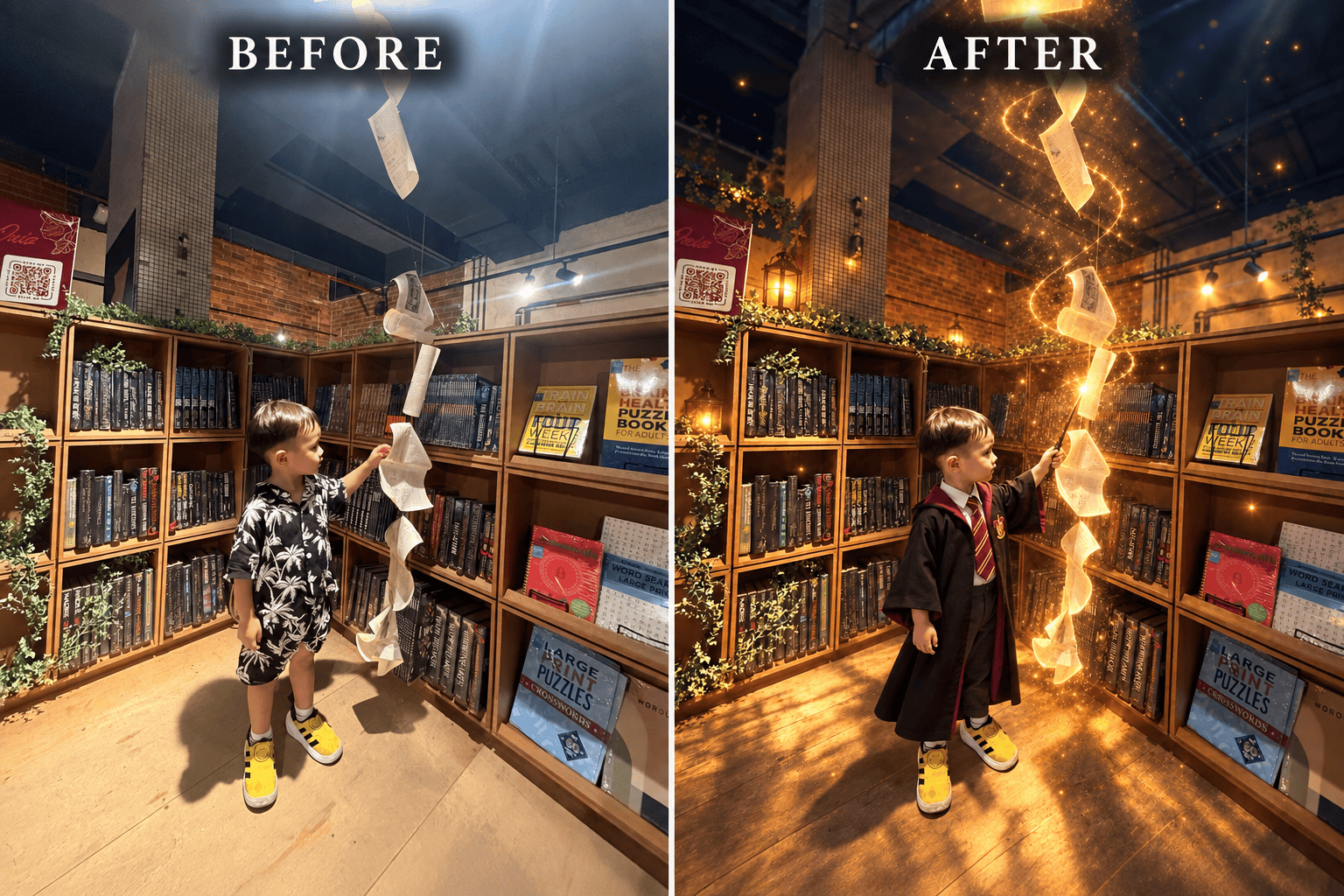
- Step 1: Take a photo at Scensia Magic Photo Corner
- Step 2: Copy the prompt as shown below
- Step 3: Attach the photo taken + paste the prompt to ChatGPT AI
AI Photo-Edit Prompt (Harry Potter Style)
Edit this photo into a cinematic Harry Potter-inspired magical scene. Keep the person's real face, identity, hairstyle, body shape, pose, Harry Potter outfit, and magic wand exactly as shown in the original photo. Do not replace, redesign, or add another costume or wand. Add realistic golden magical light glowing from the tip of the wand, with sparkling particles, swirling light trails, subtle floating dust, and a warm enchanted glow surrounding the person. Make the hanging book pages appear magically suspended in the air, with soft golden illumination and a few glowing particles flowing between them. Transform the existing bookstore corner into an immersive wizarding-world atmosphere while preserving the original bookshelves, brick walls, furniture, architecture, camera angle, and composition. Add subtle blue-and-gold cinematic lighting, gentle shadows, and magical ambience. The final image should look realistic, elegant, immersive, and professionally photographed-not cartoonish or overly edited. Keep the person as the main focus. Do not change any facial features, clothing details, hands, fingers, wand, signage, logos, or background structure. If the outfit is not harry potter theme, then Change the outfit to harry potter outfit with a magic stick on hand